Linear Search and Binary Search With example
Tripti Sharma ·
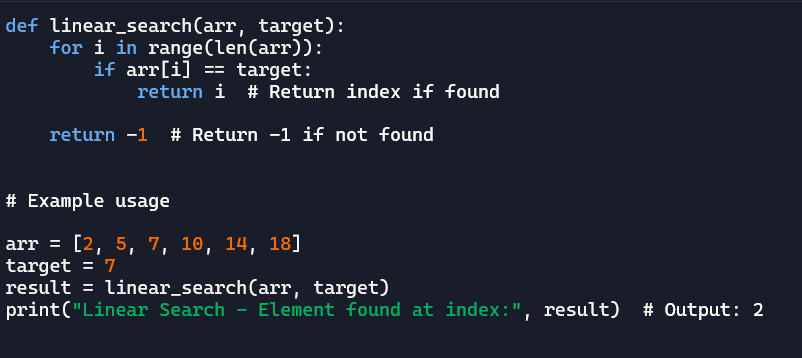
Linear search is the simplest search algorithm—it just checks each element one by one until it finds the desired value. It works well for small or unsorted lists.
Example: Finding '7' in a list
Let’s say we have this list:
[3, 8, 5, 7, 6]
- Check the first number (
3) → not7 - Check the second number (
8) → not7 - Check the third number (
5) → not7 - Check the fourth number (
7) → Found it! ✅
Linear search is simple but slow for large lists because it may have to check every single element.
def linear_search(arr, target):
    for i in range(len(arr)):
        if arr[i] == target:
            return i  # Return index if found
    return -1  # Return -1 if not found

# Example usage
arr = [3, 8, 5, 7, 6]
target = 7
result = linear_search(arr, target)
print("Element found at index:", result)  # Output: 3
Binary Search
Binary search is much faster but requires a sorted list. It works by repeatedly dividing the list in half and checking the middle element.
Example: Finding '7' in a sorted list
Let’s say we have this sorted list:
[1, 3, 5, 7, 9, 11]
- Look at the middle number (
5) → is7greater? Yes! So, ignore the left half.
New search area:[7, 9, 11] - Look at the middle number (
9) → is7smaller? Yes! So, ignore the right half.
New search area:[7] - Found
7✅!
Binary search is very fast because it cuts down the search space with each step, making it much more efficient than linear search.
Would you like a Python implementation for both? 🚀
def binary_search(arr, target):
    left, right = 0, len(arr) - 1
    while left <= right:
        mid = (left + right) // 2
        if arr[mid] == target:
            return mid  # Return index if found
        elif arr[mid] < target:
            left = mid + 1  # Ignore left half
        else:
            right = mid - 1  # Ignore right half
    return -1  # Return -1 if not found

# Example usage
arr = [1, 3, 5, 7, 9, 11]  # Sorted list
target = 7
result = binary_search(arr, target)
print("Element found at index:", result)  # Output: 3